
In 2024, local businesses must have access to reliable, up-to-date data in order to survive and grow in an extremely competitive sector. Google Maps is one of the greatest resources for this data because it provides a wealth of information about surrounding companies, client testimonials, and contact details. If you can successfully obtain this data, it will support the expansion of your neighbourhood company by assisting with improved audience targeting, rival analysis, and marketing strategy optimization..
You may effectively obtain important business data using a Google Maps data scraper, as explained by this step-by-step tutorial. To begin Google maps data analyse that will support the expansion of your local business in 2024, go to this guide.
What is Google Maps Data Scraper?
The practice of acquiring accessible information from Google Maps, including company names, addresses, phone numbers, websites, reviews, and ratings, is known as “Google Maps data scraping.” Businesses wishing to conduct competitor analysis, produce leads, or develop a comprehensive marketing strategy may find great value in this data.
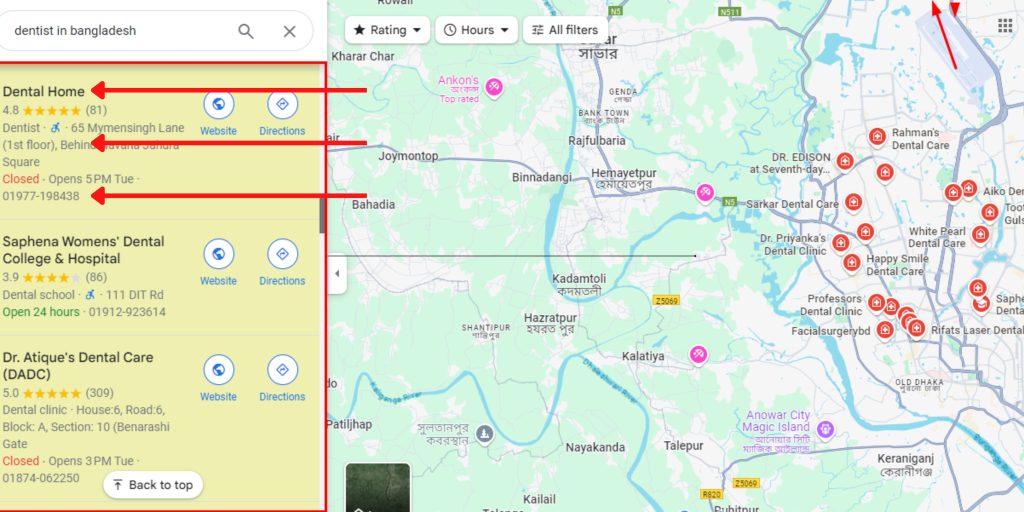
A Comprehensive Tutorial for Extracting Data from Google Maps
First step: Recognise the Data You Require
Knowing precisely what data you want to extract is essential before you even begin the data scraping process. Are you trying to find phone numbers and addresses for businesses? Or maybe you want to see reviews and ratings to get a better understanding of what customers have to say?
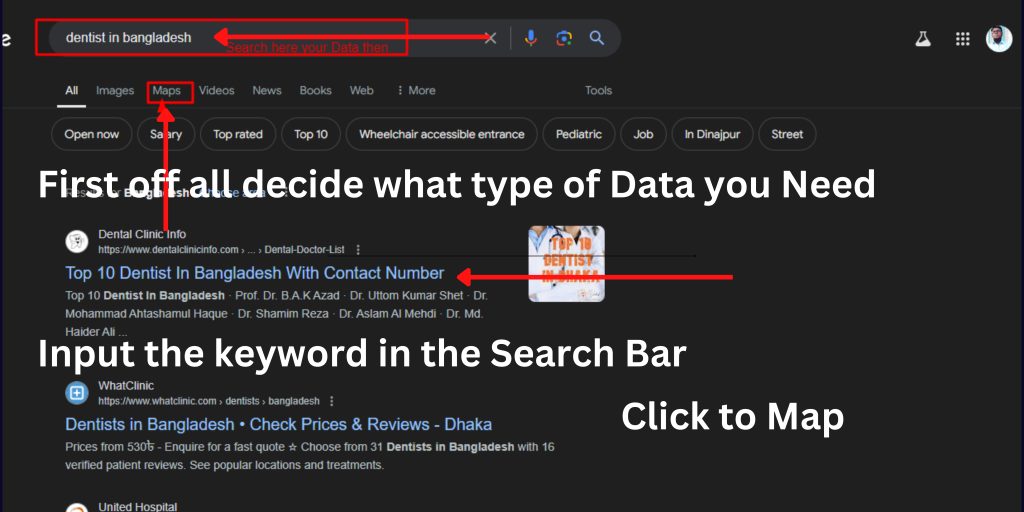
Typical data types that can be extracted from Google Maps are as follows:
Name of business, address, phone number, website URL, hours of operation, reviews, and ratings
Coordinates of Location
In addition to saving you time, having a defined objective will enable you to select the best scraping tools for the job.
Step 2: Select the Appropriate Data Scraping Tool for Google Maps
After determining the necessary data, the following step is to select the ideal Google Maps data scraper for your project. There are many of tools out there, from basic browser add-ons to more sophisticated software features. Here are some well-liked instruments at your disposal:
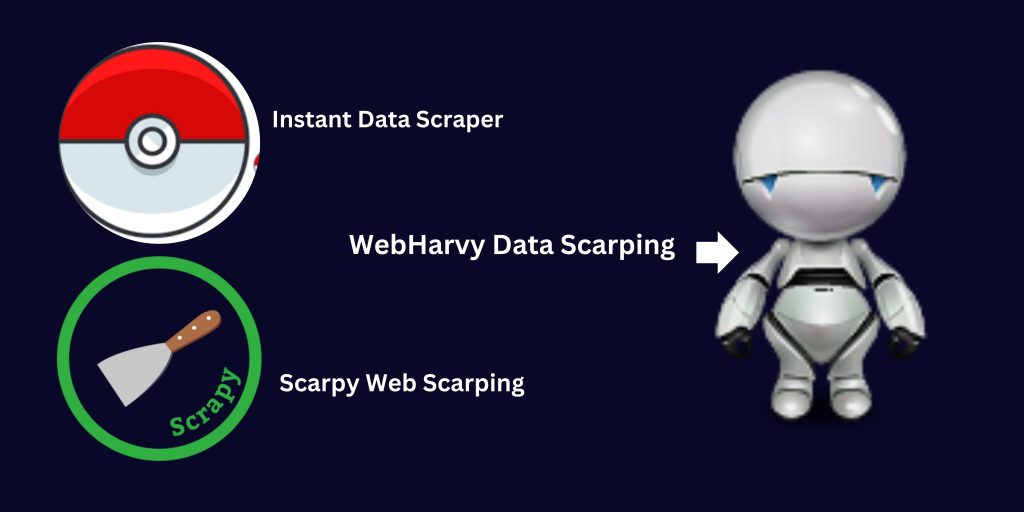
Instant Data Scrape Google Extension :: An effective web scraping tool with Google Maps templates already set up.
Scrapy: An open-source program with a Python foundation that offers additional customisation.
WebHarvy: An intuitive tool that facilitates Google Maps scraping and doesn’t require any technical knowledge.
PhantomBuster: A cloud-based scraper made specifically for Google Maps and social networking.
DataMiner is a browser add-on that enables direct scraping of websites, including Google Maps.
Select a tool based on the project’s scale and your level of technical expertise. User-friendly choices like Octoparse or WebHarvy may be the best choice if you’re new to scraping.
Step 3: Configure the Parameters for Scraping
Setting up the parameters for your scraping job is the next step after selecting your tool. The scraper will know what information to extract and where to get it with these settings.
Establish Location: Decide where in the area you wish to get company data for scraping.
Select the Business Type: In your scraper tool, indicate the industry you’re targeting (e.g., restaurants, retail outlets).
Choose Data Fields: The majority of programs let you choose particular data fields, such the company name, address, phone number, and reviews.
You may be able to add filters to your scraper with various tools, such as stars or establishments that are open for business during specific hours, to further personalize it.
Step 4: Utilize the scraper:
The next step is to launch your scraper and let it work its magic after setting your settings. This can take a few minutes to many hours, depending on the tool you’re using and the amount of data you’re extracting.
Keep an eye on the scraper’s progress while it’s operating. You can observe the data being collected with many programs since they offer real-time updates. In the event that something goes wrong, you can stop the process, fix it, and carry on scraping.
Step 5: Data Export
You must export the data into a format that can be used after the scraping operation is finished. The majority of scraping software let you export data in CSV, Excel, and JSON file formats.
One way to view the data and easily analyse or filter it further is to export it to a CSV file, which can be used in spreadsheet programs like Google Sheets or Microsoft Excel.
Step 6: Arrange and Examine the Information
To make the data easier to deal with, it is imperative to clean and organize it after exporting. The data can be sorted according to several parameters, such as location or rating, and duplicates can be removed as well as unnecessary firms can be filtered out.
The following are some methods for data analysis for business growth:
Lead generation: Make a list of possible suppliers, clients, and business partners using the contact information.
Analyze rival evaluations and ratings to pinpoint their advantages and disadvantages.
Customer Insights: Examine evaluations from previous customers to learn what clients like and hate about nearby businesses that are comparable to yours.
Marketing Plan: Make adjustments to your local marketing plans, such as focused advertising or exclusive deals, based on the area and demographic data.
Step 7: Maintain Updating Your Data
Businesses frequently update Google Maps with new addresses, phone numbers, and operating hours. For this reason, it’s critical to frequently scrape data in order to maintain current records. You can plan recurring scraping sessions with the help of automation features found in some scraping solutions.
By doing this, you can guarantee that your company is constantly operating with the most recent and accurate information while also saving time.
Legal Aspects Must Be Considered for Google Maps Data Scraping:
Recognise the legal environment before beginning to scrape Google Maps data. It is against Google’s Terms of Service to scrape without permission, so be sure you constantly abide by the platform’s guidelines. Using Google’s official APIs, which grant access to much of the same data without breaking any agreements, is one approach to keep inside the confines of legality.
In summary
In 2024, you may gain a lot of useful information by scraping Google Maps data to support the expansion of your local business. You can gather company data by following this methodical methodology, which will enable you to assess competitors, produce leads, and improve your marketing tactics.
Select the appropriate data scraping technology, establish specific objectives, and make sure your efforts always abide by the law. Google Maps data scraping can be a very useful tool for the success of your local business if done correctly.